🔐 MatchID API User Bind List Demo (Node.js)
This page demonstrates how to generate and use the MatchID API signature to call a secure backend endpoint — using Node.js — to get a user bind list.
✨ Overview
MatchID APIs require 3 key headers in each request:
appid– Your App IDtimestamp– 13-digit UNIX timestamp in millisecondssign– A signature you generate using HMAC SHA256
🧠 Where does did come from?
The did value used in the request body comes from your frontend using MatchID's SDK.
You can extract it after user login via the getAuthInfo() method in the useUserInfo hook:
ts
const authInfo = await getAuthInfo(method);
console.log('🔑 Auth Info:', authInfo);
console.log('✅ did:', authInfo?.did);
🧱 Signature Formula
To generate the sign, use this formula:
sign = base64(HMAC_SHA256(timestamp + method + path + body, SECRET_KEY))
Where:
methodis always uppercase (POST)pathis just the request path, e.g./api/v1/partner/user/bind/listbodyis the sorted and non-empty JSON
📦 Sample Code (Node.js)
js
const axios = require("axios");
const CryptoJS = require("crypto-js");

// === CONFIG ===
const APP_ID = "your_matchid_app_id";           // from your backend dashboard
const SECRET_KEY = "your_matchid_app_secret";   // from your backend dashboard
const BASE_URL = "https://api.matchid.ai";
const ENDPOINT = "/api/v1/partner/user/bind/list";

// Get this DID from your frontend after login
const did = "did:matchid:73f2bdc89ae1f6d7a4e952af23"; // Replace with its real value from your front-end

// === Step 1: Prepare Request Body ===
const requestBody = {
    requestBody: JSON.stringify({ did })
};

const bodyString = JSON.stringify({ did });

// === Step 2: Generate Signature ===
const timestamp = Date.now().toString();
const method = "POST";

const signatureBase = timestamp + method + ENDPOINT + bodyString;
const signature = CryptoJS.HmacSHA256(signatureBase, SECRET_KEY);
const sign = CryptoJS.enc.Base64.stringify(signature);

// === Step 3: Send the Request ===
axios.post(`${BASE_URL}${ENDPOINT}`, requestBody, {
    headers: {
        "Content-Type": "application/json",
        "appid": APP_ID,
        "timestamp": timestamp,
        "sign": sign
    }
})
    .then(res => {
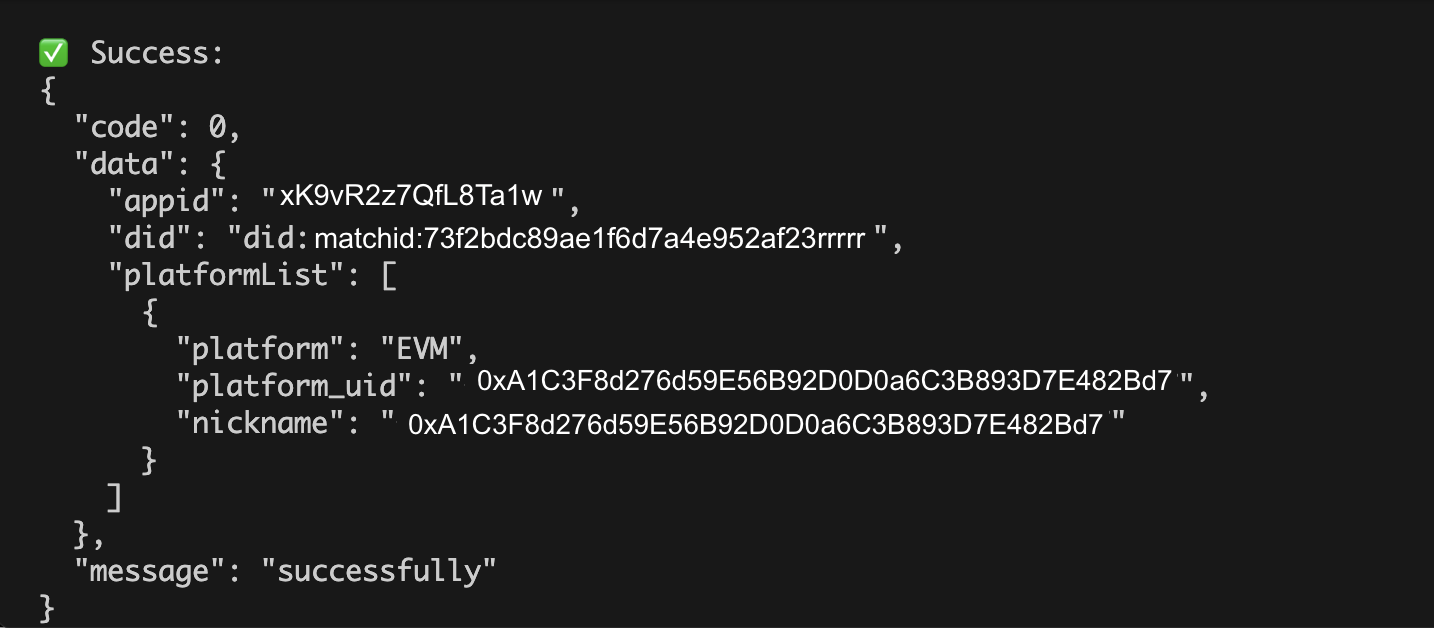
        console.log("✅ Success:\n" + JSON.stringify(res.data, null, 2));
    })
    .catch(err => {
        console.error("❌ Error:\n", err.response?.data || err.message);
    });
✅ Sample Response (on your terminal)